
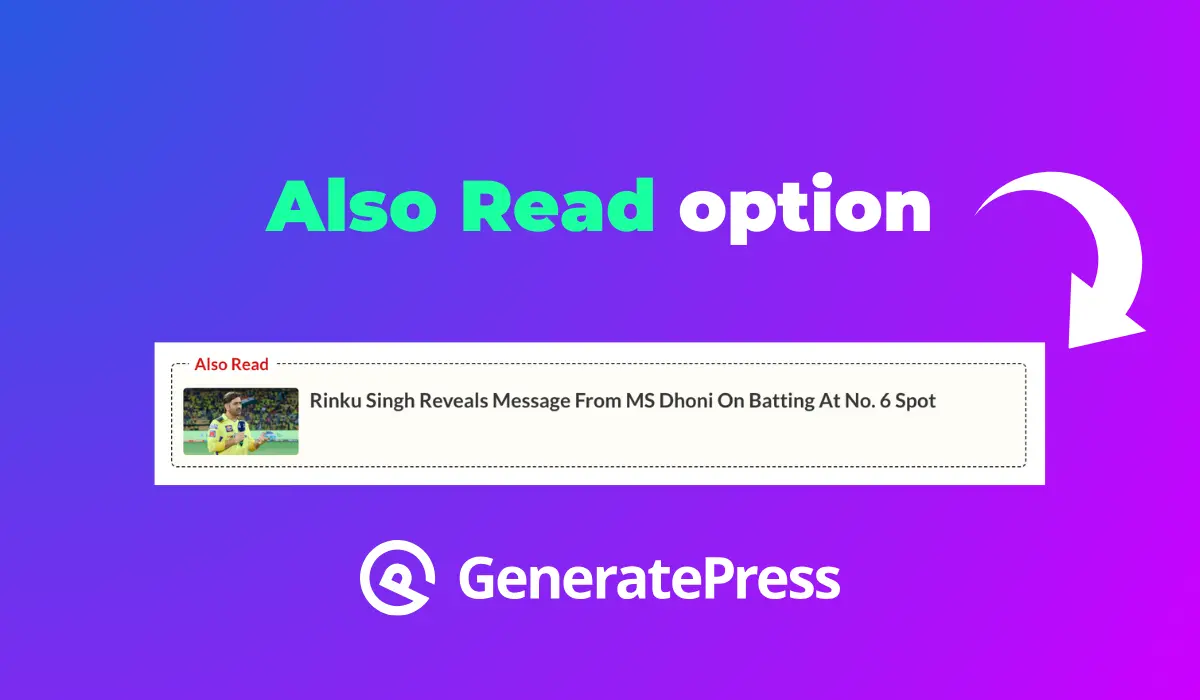
Do you want to add also read option in the GeneratePress theme? In this guide, we will cover all the things needed to display the Also Read option in GeneratePress.
GeneratePress is one of the best WordPress themes for blog websites. I am using GeneratePress Premium Theme and it’s easy to design a blog website.
How to Add Also Read option
To show also read option in the GeneratePress Theme, I have used the GenerateBlock Plugin. Let’s dive into the details.
Go to Posts Section > copy this code and paste it in the post section where you want to show this also read option.
<!-- wp:generateblocks/container {"uniqueId":"be917b24","isDynamic":true,"blockVersion":4,"spacing":{"marginTop":"15px","marginBottom":"15px"}} -->
<!-- wp:generateblocks/container {"uniqueId":"45496d38","backgroundColor":"#fffdf8","isDynamic":true,"blockVersion":4,"useGlobalMaxWidth":true,"spacing":{"marginRight":"auto","marginLeft":"auto"},"borders":{"borderTopWidth":"1px","borderRightWidth":"1px","borderBottomWidth":"1px","borderLeftWidth":"1px","borderTopStyle":"dashed","borderRightStyle":"dashed","borderBottomStyle":"dashed","borderLeftStyle":"dashed","borderTopLeftRadius":"5px","borderTopRightRadius":"5px","borderBottomLeftRadius":"5px","borderBottomRightRadius":"5px","borderRightLeftRadius":"5px","borderLeftLeftRadius":"5px","borderRightRightRadius":"5px","borderLeftRightRadius":"5px","borderTopColor":"#2e2e2e","borderRightColor":"#2e2e2e","borderBottomColor":"#2e2e2e","borderLeftColor":"#2e2e2e"}} -->
<!-- wp:generateblocks/container {"uniqueId":"0c0bf246","isDynamic":true,"blockVersion":4,"spacing":{"paddingTop":"","marginTop":"-14px"}} -->
<!-- wp:generateblocks/headline {"uniqueId":"5ee2fb7a","element":"div","blockVersion":3,"display":"inline-flex","alignItems":"center","typography":{"fontSize":"15px","fontWeight":"600"},"spacing":{"paddingLeft":"5px","marginLeft":"15px","marginRight":"15px","marginTop":"","paddingRight":"5px","paddingTop":"","paddingBottom":""},"backgroundColor":"var(\u002d\u002dbackground)","textColor":"var(\u002d\u002dcolor-background)"} -->
<div class="gb-headline gb-headline-5ee2fb7a gb-headline-text">Also Read</div>
<!-- /wp:generateblocks/headline -->
<!-- /wp:generateblocks/container -->

<!-- wp:generateblocks/query-loop {"uniqueId":"9748f2fd","query":{"post_type":"post","per_page":"1","include":[]}} -->
<!-- wp:generateblocks/grid {"uniqueId":"7b4fb641","columns":1,"isDynamic":true,"blockVersion":3,"isQueryLoop":true,"lock":{"remove":true}} -->
<!-- wp:generateblocks/container {"uniqueId":"b955aa58","isGrid":true,"isQueryLoopItem":true,"gridId":"7b4fb641","isDynamic":true,"blockVersion":4,"sizing":{"width":"100%"},"spacing":{"paddingTop":"10px","paddingLeft":"10px","paddingRight":"10px","paddingBottom":"10px"},"borders":{"borderTopWidth":"","borderRightWidth":"","borderBottomWidth":"","borderLeftWidth":"","borderTopStyle":"","borderRightStyle":"","borderBottomStyle":"","borderLeftStyle":""},"lock":{"remove":true,"move":true}} -->
<!-- wp:generateblocks/grid {"uniqueId":"fd32b3df","columns":2,"horizontalGap":10,"isDynamic":true,"blockVersion":3} -->
<!-- wp:generateblocks/container {"uniqueId":"3e1ebb5a","isGrid":true,"gridId":"fd32b3df","isDynamic":true,"blockVersion":4,"sizing":{"width":"15%","widthMobile":"30%"}} -->
<!-- wp:generateblocks/image {"uniqueId":"a7802b7d","sizeSlug":"full","blockVersion":2,"borders":{"borderTopLeftRadius":"3px","borderTopRightRadius":"3px","borderBottomLeftRadius":"3px","borderBottomRightRadius":"3px"},"useDynamicData":true,"dynamicContentType":"featured-image","dynamicLinkType":"single-post"} /-->
<!-- /wp:generateblocks/container -->

<!-- wp:generateblocks/container {"uniqueId":"78eaef2a","isGrid":true,"gridId":"fd32b3df","isDynamic":true,"blockVersion":4,"sizing":{"width":"85%","widthMobile":"70%"}} -->
<!-- wp:generateblocks/headline {"uniqueId":"b3516d2f","element":"h3","blockVersion":3,"typography":{"fontSize":"18px","fontSizeMobile":"14px"},"spacing":{"marginBottom":"5px"},"textColor":"var(\u002d\u002dtext-2)","linkColor":"var(\u002d\u002dtext-2)","linkColorHover":"var(\u002d\u002dcolor-background-hover)","useDynamicData":true,"dynamicContentType":"post-title","dynamicLinkType":"single-post"} -->
<h3 class="gb-headline gb-headline-b3516d2f gb-headline-text"></h3>
<!-- /wp:generateblocks/headline -->
<!-- /wp:generateblocks/container -->
<!-- /wp:generateblocks/grid -->
<!-- /wp:generateblocks/container -->
<!-- /wp:generateblocks/grid -->
<!-- /wp:generateblocks/query-loop -->
<!-- /wp:generateblocks/container -->
<!-- /wp:generateblocks/container -->
How to customize also read option
Go to your post option
Go to post > Query loop.
Go to Block > Add Parameter > Select Include post
Now select any post that you went to so here.
For a better understanding, you can watch this video tutorial. In this video tutorial, I’ll give you step by step guide to add this also read option.